For decades, the hardest part of instrumental music education has lived outside the classroom walls. While directors spend their days meticulously modeling tone, correcting posture, and building ensemble cohesion in rehearsal halls, the critical juncture of independent, at-home practice has long been a black box. What happens when a student opens their instrument case alone in a quiet room often dictates the trajectory of their musical growth—and too often, that moment is plagued by frustration, friction, and abandonment.
Recognizing this persistent pedagogical bottleneck, MakeMusic has rolled out a sweeping, user-centric redesign of its core practice tools. Built from the ground up to minimize cognitive load and eliminate technological barriers, the updated platform reimagines how students interact with digital sheet music and accompaniment software outside of school hours. By streamlining screen layouts, introducing intuitive navigation, and creating a friction-free environment for young and developing musicians, MakeMusic aims to bridge the gap between classroom instruction and independent rehearsal.
Rather than attempting to replace the irreplaceable human element of music teaching, the platform’s latest iteration positions itself as an intelligent, supportive practice partner. This strategic overhaul reflects an evolving philosophy in edtech: that the best software is invisible, stepping out of the way to let the music—and the student’s confidence—take center stage.
Detailed Chronology: The Evolution of Digital Practice Support
To understand the significance of MakeMusic’s latest update, it is necessary to examine the broader timeline of digital music education tools. Over the past twenty years, software transitioned from static notation programs to interactive, cloud-based ecosystems capable of assessing pitch and rhythm in real time. However, as features multiplied, interfaces frequently grew bloated, creating unintended hurdles for younger or less tech-savvy students.
Phase One: The Transition to Digital Accompaniment
In the early days of computer-assisted music practice, the primary goal was simply providing a reliable accompaniment track so students wouldn’t have to practice in silence. These early tools required complex installation processes, specialized hardware, and steep learning curves. While revolutionary for their time, they treated the computer screen as a workspace rather than a seamless extension of the student’s instrument.
Phase Two: Real-Time Assessment and Cloud Integration
As broadband internet became ubiquitous and processing power improved, platforms like MakeMusic integrated sophisticated assessment technologies. Students could play into a microphone and receive immediate visual feedback on notes and rhythms. Yet, a new challenge emerged: cognitive overload. Young musicians were forced to juggle the physical challenges of holding an unfamiliar instrument, decoding complex musical notation, and navigating dense, desktop-heavy user interfaces packed with secondary menus and advanced controls.
Phase Three: The Human-Centric Redesign (Current Era)
The latest update represents a paradigm shift away from feature-heavy software toward an intentional, minimalist user experience. MakeMusic’s product development team began analyzing the exact friction points that occur during the first five minutes of a practice session—specifically, the psychological and logistical barriers of getting started.
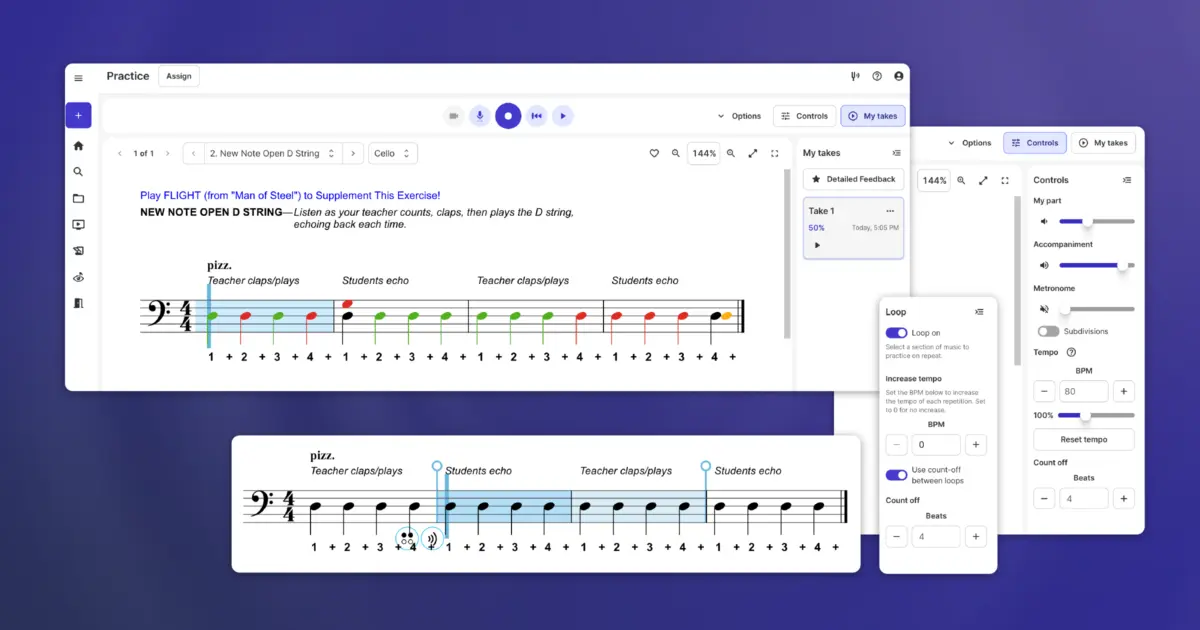
By observing students in naturalistic home environments, developers realized that screen real estate and menu placement directly correlated with practice duration and student retention. The resulting redesign prioritized collapsible controls, highly visible recording suites, and a streamlined visual hierarchy. This evolution marks a maturation in edtech design: technology is no longer being built to showcase what it can do, but rather to quietly support what the student needs to do.
Supporting Context & Metrics: The Psychology of At-Home Practice
To fully appreciate the impact of streamlined practice software, one must examine the behavioral economics and cognitive psychology of music practice. Educational research consistently highlights that the primary barrier to instrumental proficiency is not a lack of innate musicality, but rather the consistency and quality of independent practice routines.
Reducing Cognitive Load for Young Musicians
Cognitive Load Theory (CLT), originally formulated by psychologist John Sweller, posits that working memory has a strictly limited capacity. When a novice musician—say, a middle school clarinet player—opens their case, their working memory is already operating near maximum capacity. They must manage:
Physical posture and embouchure control
Fine motor coordination of fingers and keys
Decoding symbolic notation into physical actions
Emotional regulation (managing frustration or performance anxiety)
If the software tool they use to practice requires them to hunt for recording buttons, decipher non-intuitive icons, or navigate multi-tiered menus, it introduces extraneous cognitive load. This surplus mental strain often leads to cognitive fatigue, prompting the student to close the laptop and abandon practice altogether.
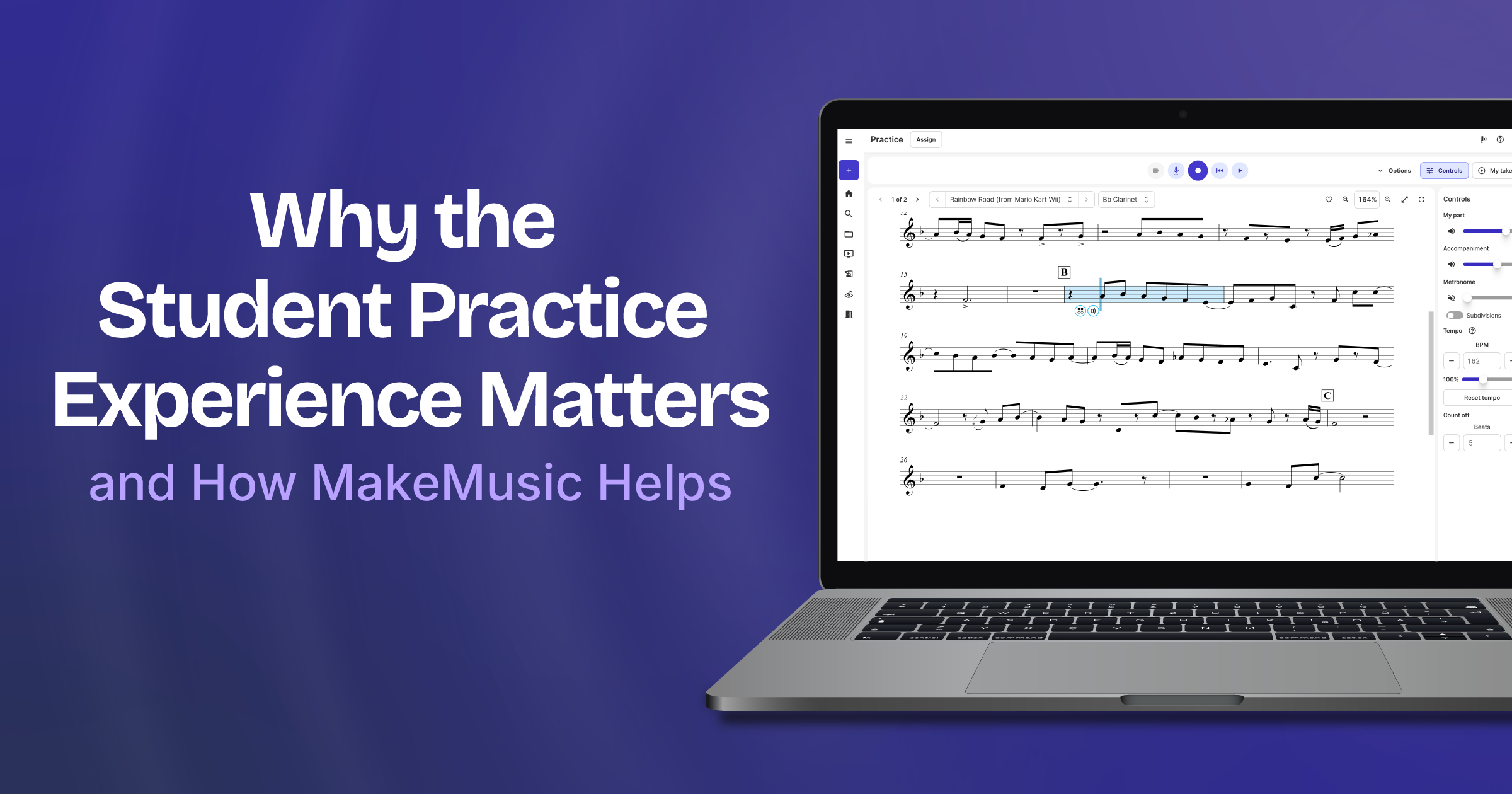
MakeMusic’s new interface layout directly addresses this phenomenon. By utilizing highly efficient screen space management and collapsible control panels, the software preserves the student’s mental bandwidth exclusively for musical problem-solving.
The Metrics of Engagement
Industry data within music education technology underscores a vital trend: platform retention is directly tied to onboarding simplicity. Digital learning tools that feature high-friction initial user experiences suffer from steep drop-off rates within the first two weeks of adoption. Conversely, platforms that reduce time-on-task for non-musical software navigation see sustained increases in daily practice minutes.
While MakeMusic’s underlying assessment engines provide rigorous data tracking for directors, the interface update focuses on the student’s subjective experience of that data. When recording takes ("My Takes") and playback controls are instantly accessible without hunting through sub-menus, students are significantly more likely to engage in iterative, reflective practice—recording a passage, listening back, and attempting corrections immediately.
Official Statements and Industry Perspectives
The philosophy driving MakeMusic’s product updates is rooted in a deep respect for the classroom teacher and a realistic appraisal of software’s limitations. Company representatives have consistently emphasized that technology must serve pedagogy, never the other way around.
"You spend your days in the room with your students modeling tone, correcting posture, building ensemble skills, and doing the hundred other things that make you a great director," noted a recent MakeMusic release outlining the practice updates. "What happens when they go home and open that instrument case alone? That’s where the practice tool you select comes in."
Music educators have long voiced concerns over digital tools that demand excessive supervision or troubleshooting from the student. By prioritizing a friction-free design, MakeMusic’s developers aimed to alleviate these concerns, ensuring that students can operate the platform independently regardless of their technical proficiency at home.
"Think about your youngest musicians for a moment," the company’s design briefing notes. "They’re holding an unfamiliar instrument, decoding musical notation for the first time, and navigating the entirely separate (and very real) challenges of just being a kid. The last thing they need is a confusing interface adding to that cognitive load. They deserve a practice experience that is friction-free and genuinely supportive."
Crucially, MakeMusic maintains a humble perspective regarding its place in the musical ecosystem. The software does not claim to create musicians; rather, it provides scaffolding for the human teacher’s instruction.
"Here’s the bottom line: you are the one teaching the musical skills your students will carry with them for the rest of their lives," the company emphasized. "You’re building technique, community, developing ears, and fostering a love for music. That all happens because of you, not a software platform. Our job is to support what you’re already doing and be the best possible practice partner for your students when you’re not in the room."
Future Outlook: The Next Frontier in Digital Music Pedagogy
As K-12 and collegiate music programs continue to adopt hybrid and blended learning models, the expectations placed on practice software will only intensify. The successful platforms of tomorrow will need to balance automated diagnostic feedback with deeply intuitive, human-centered design principles.
The Shift Toward Personalized Coaching
Looking ahead, the integration of adaptive practice tools suggests a future where software can dynamically respond to a student’s unique pacing. Rather than presenting a static loop of exercises, future iterations of platforms like MakeMusic will likely leverage subtle behavioral cues to suggest micro-breaks, recommend specific remedial fingerings, or dynamically adjust tempo scaling based on real-time execution errors.
However, as MakeMusic’s recent update proves, advanced capability must never come at the expense of simplicity. The ongoing challenge for software engineers in the arts education sector will be maintaining minimalist, welcoming interfaces while packing sophisticated analytical capabilities beneath the hood.
Strengthening the Director-Student-Software Ecosystem
Ultimately, the goal of these technological advancements is not to digitize the musical experience, but to enrich the analog connection between student and teacher. When at-home practice becomes less of an administrative chore and more of an engaging, supportive dialogue, students walk into rehearsal halls better prepared, more confident, and ready to collaborate.
For music educators interested in evaluating how these streamlined practice tools can integrate into their existing curricula, MakeMusic currently offers comprehensive access options, inviting directors to explore the platform firsthand. As the boundaries between classroom instruction and home practice continue to blur, thoughtful design choices like these will play a pivotal role in shaping the next generation of musicians.